We built the dStorage SDK. Please don’t write the integration
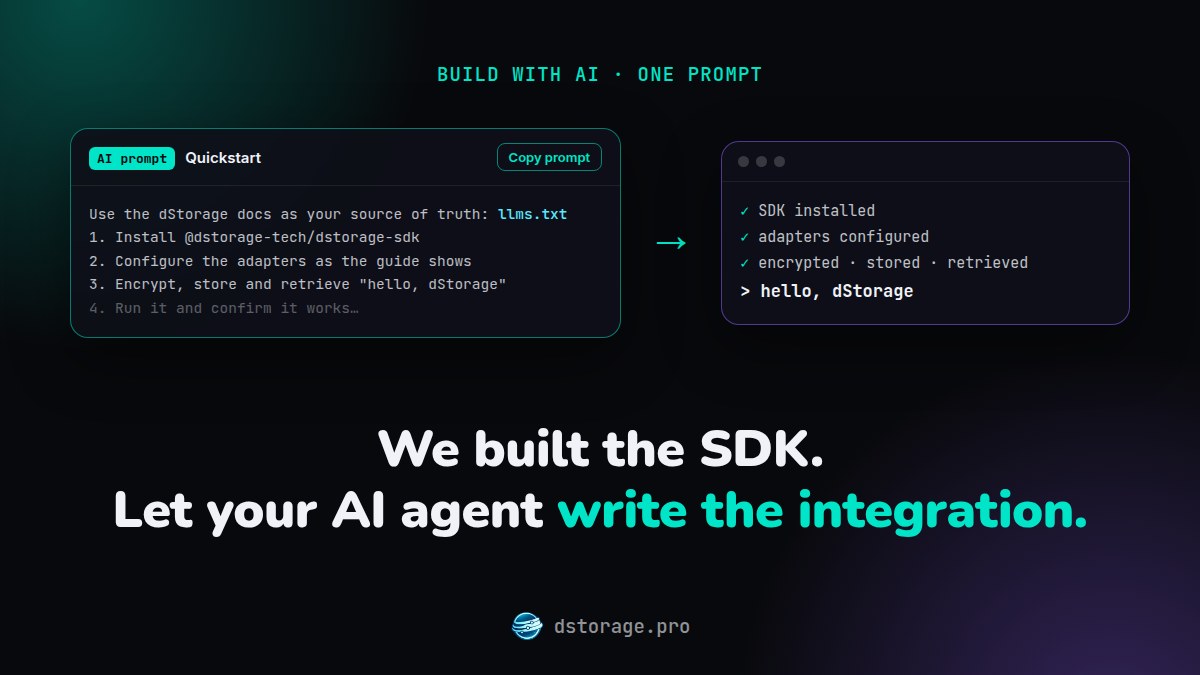
Let your AI agent do it. We’ve prepared ready-to-use AI prompts that guide your favorite coding agent (Claude Code, Cursor, Codex and others) to install the SDK, configure the adapters and build a working example that encrypts, stores and retrieves data.
🧠 Why a prompt?
The dStorage SDK is new, and its API changes between versions, so an agent working from memory will often guess wrong. Our prompts point it at the current docs instead (llms.txt and llms-full.txt), and each one ends with a check that the result actually works.
⚡ Try it now
Just copy the prompt, run it in your AI agent, and let it do the heavy lifting. This one gets you a first encrypted store and retrieve in minutes:
Use the dStorage SDK docs as your source of truth, not prior knowledge: the SDK is new and its API changes between versions. The docs index is https://dstorage.pro/docs/llms.txt and the full docs are in https://dstorage.pro/docs/llms-full.txt.

Read the "Mock Adapters" guide at https://dstorage.pro/docs/guide/mock-adapters.md (if that URL can't be fetched, use the HTML page at https://dstorage.pro/docs/guide/mock-adapters.html or the full docs in https://dstorage.pro/docs/llms-full.txt instead), then follow it in my current project. If I'm not in a Node.js project, create a new one in a dstorage-quickstart folder first.

1. Install @dstorage-tech/dstorage-sdk (requires Node.js 22 or later).
2. Configure DStorage with MockStorageAdapter, MockChainAdapter and PasswordEncryptionAdapter, exactly as the guide shows.
3. Add a small script that calls init(), stores the string "hello, dStorage", retrieves it with retrieveByRefId(), prints the decoded result, and calls destroy().
4. Run the script and confirm it prints "hello, dStorage".
5. Using the "Core Concepts" guide (https://dstorage.pro/docs/guide/core-concepts.md), explain in a few sentences what each of the three adapters did during that round trip, and what I'd change to move to real storage and a real chain next.

The guide's code uses import and top-level await, so run it as an ES module: set "type": "module" in package.json for a new project, or use a .mjs file in an existing CommonJS one. If anything in my project conflicts with the guide (module system, Node.js version, existing dStorage setup), explain the conflict before changing anything.
🔐 Private by default
Encryption and privacy are built in. Data is encrypted on the user’s device before it goes anywhere, and users keep ownership and control of their data.
🧭 Keep going
There’s a ready-made prompt for every guide, each building on the one before: from mock adapters to real storage, the Midnight network, passkey encryption and managed payments. Prefer a working app to start from? Clone dstorage-starter-template and run the prompts against it.
⚠️ A few tips
- Review what the agent changes, especially anything touching keys, passwords or tokens.
- Never paste a
ds_*secret token into a prompt or into browser code. Keep tokens in environment variables, and use a scoped JWT token in the browser. - Some steps need you: approving wallet prompts, passkey ceremonies and creating a dStorage Pro token. The prompts tell the agent to stop and ask you at those points.
👉 Explore the Build with AI guide
Private by design. Written by your agent. Reviewed by you.
Originally posted on Midnight Forum.